





Ever downloaded the phone app for your camera and been disappointed with how janky it is? You're not alone. In fact, this Redditor was so fed up of apps made by camera companies that he decided to make a wireless controller of his own – and the result is so good that people want to buy one from him.
"I hated having to connect my iPhone to my Lumix S9," wrote user el1asjr in the Lumix Reddit group.
"The app kept disconnecting, and I didn’t like having to give up my regular Wi-Fi connection just to use the camera. I wanted to keep my iPhone connected to the internet while recording myself, so I decided to build my own wireless controller!
"Now I can monitor myself and control focus, ISO, shutter speed, aperture, LUTs, video formats, aspect ratios, and more, all without relying on my phone. Really happy with how it turned out!"
I made a custom wireless controller for my Lumix S9!from r/Lumix
For the physical controller, he used the Waveshare ESP32-S3 – a $40 pebble-style programmable device with an AMOLED touchscreen, which looks a bit like a smart watch without any straps.
"I’ve always liked Waveshare’s hardware, and this little device turned out to be perfect for what I had in mind," said el1asjr, but picking an input device was actually the most straightforward aspect of the project.
"Honestly, the hardware is the easy part. You could use another smartphone and build your own app, an ESP32, a Raspberry Pi, or pretty much any programmable device.
"The real challenge is how to make everything work properly. Simply asking ChatGPT or Claude to write the code isn’t enough. I’ve been working on this software for three weeks, and it’s still not finished.
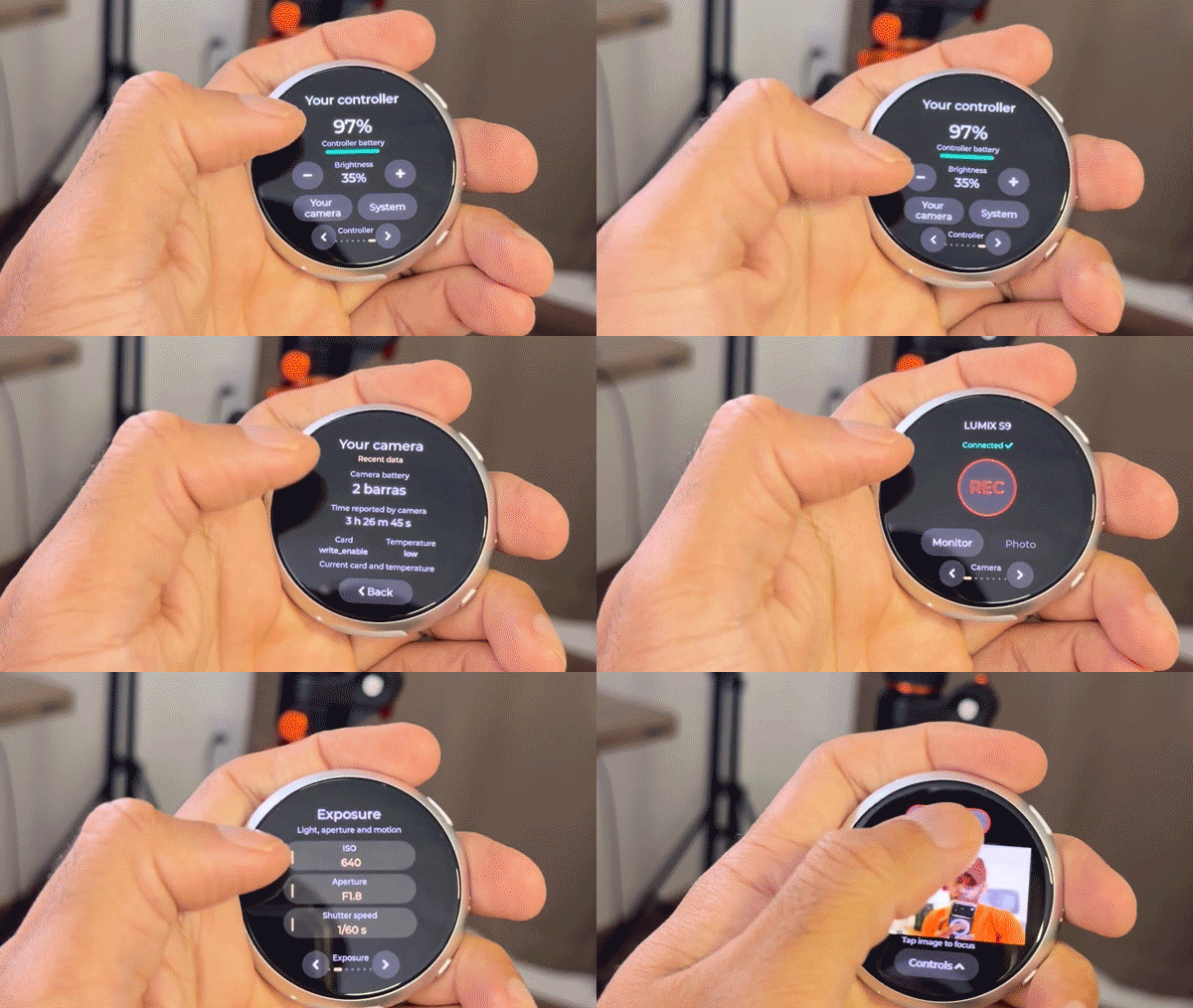
"The biggest challenge was developing the software and getting everything to work seamlessly with the Lumix S9. It’s a custom-programmed device with an interface and features I designed specifically for this project."
While the device currently supports the Panasonic Lumix S9 and Sony ZV-E10, unsurprisingly the thread started filling up with requests for other camera models – as well as for specific features and controls, such as anamorphic desqueeze and open gate video settings.
Whether he'll be able to accommodate everyone's requests, he does plan to share his project with other camera users as soon as he's put in a bit more work.
"I’d genuinely love to share it with the community, and I plan to do so once it’s more polished and stable. It’s not quite as easy as it looks. There’s still work to be done!"
You might also like…
Take a look at the best lenses for the Panasonic Lumix S9 as well as the best lenses for the Sony ZV-E10.

